 Deskmap
One click
Open a whole workspace.
Every closed pinned window of a desktop opens at once, each in its place. Per app, close or reopen all its pinned windows there.
Deskmap · the Mac menu bar app that places your windows
Pin a window once. It lives on the right display, the right desktop, in the right layout. Every time.
Plan
Windows wander.They open wherever. They pile up on one screen.
Plug in a monitor.Deskmap switches to the Monitor connected plan.
Every window flies home.Each pin: one display, one desktop, one layout.
Unplug.The Laptop only plan takes over.
Each one goes back to its own desktop.Pin once. It keeps happening, every time.
Plug in a monitor: every pinned window goes to its display, desktop and layout.
Unplug: each one goes back to its place in the Laptop only plan.
Pin by title
Two VS Code workspaces or two Safari tab groups can live in two different places. Pick the part of the title that names the workspace. Or pin the whole app, or just one window.
The map
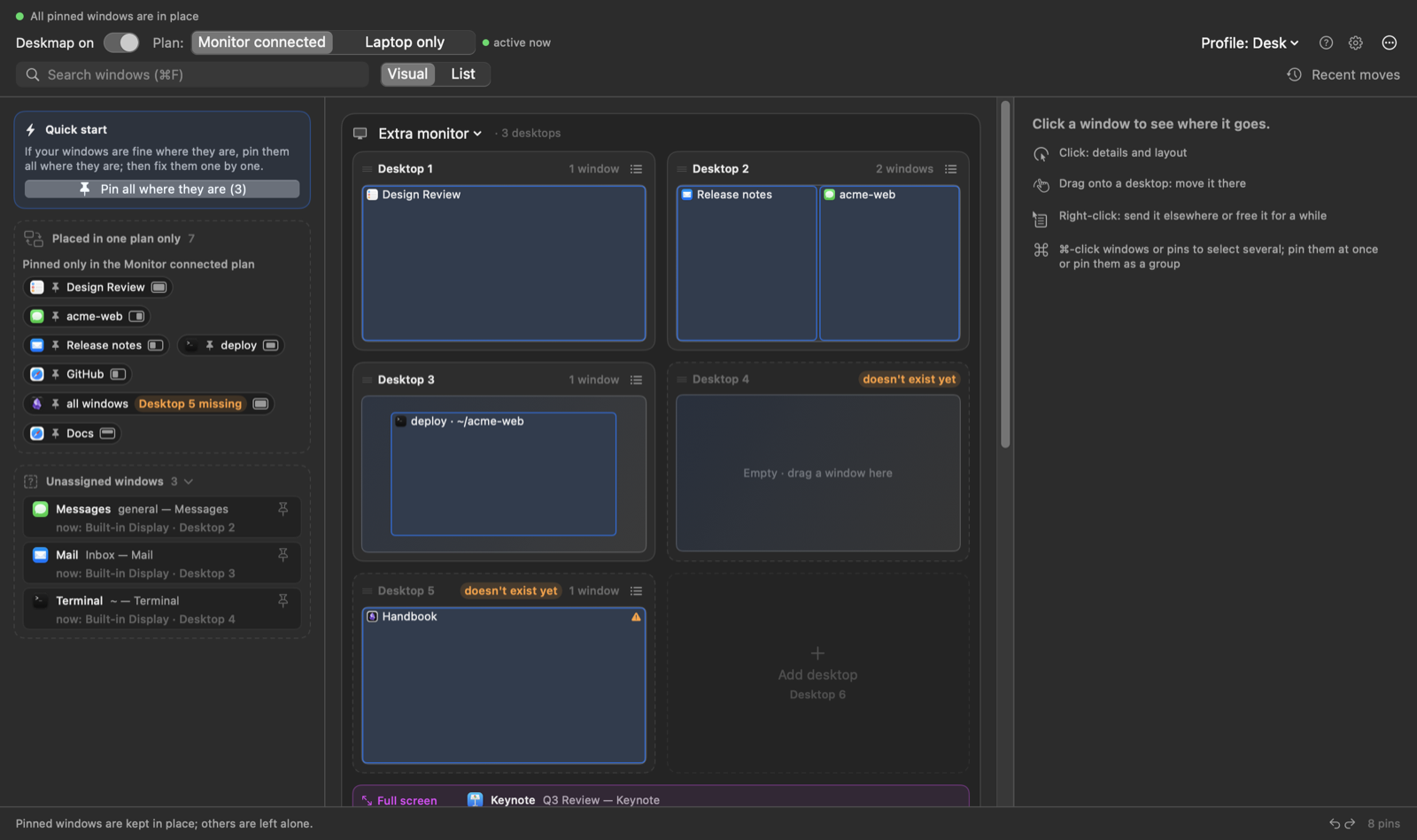
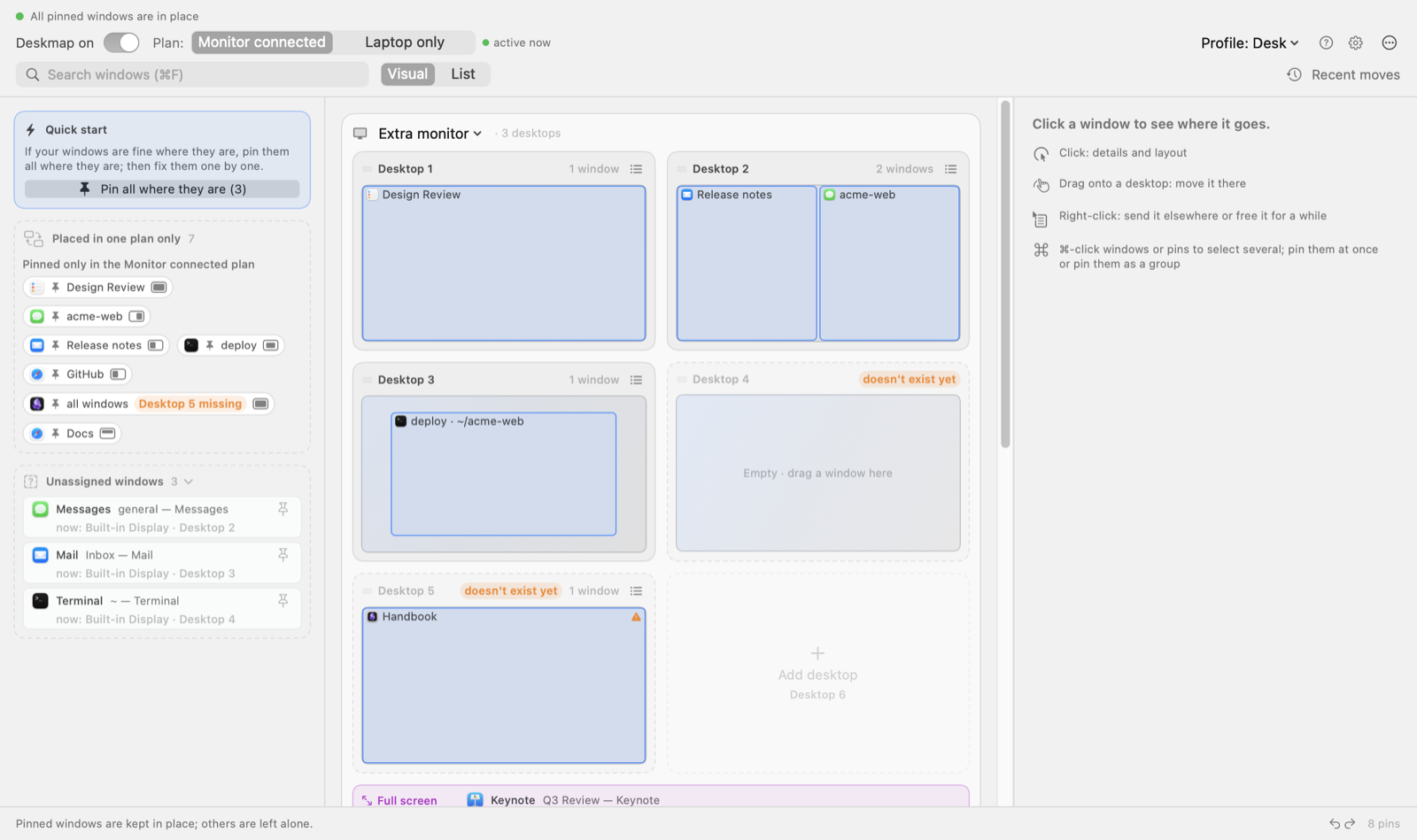
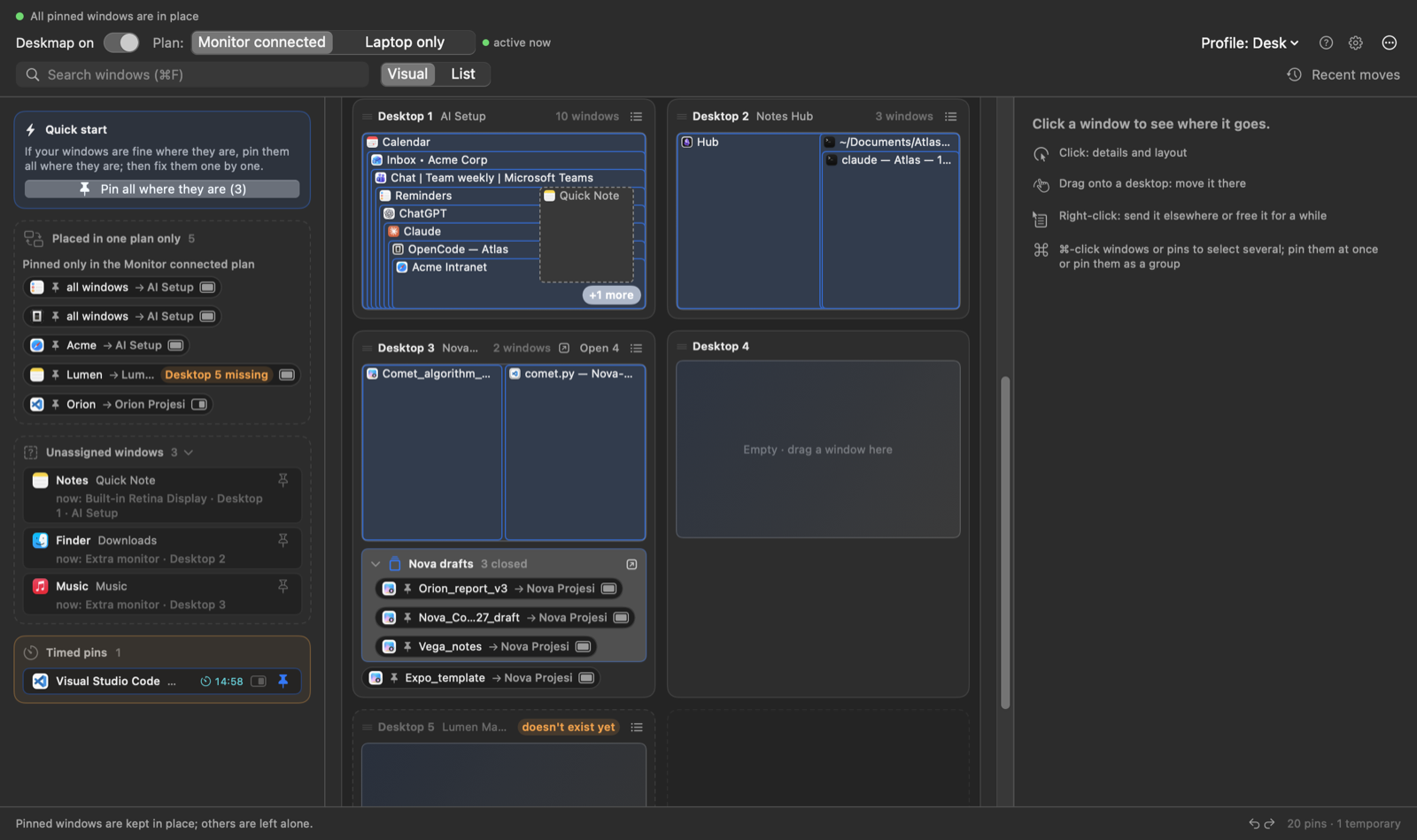
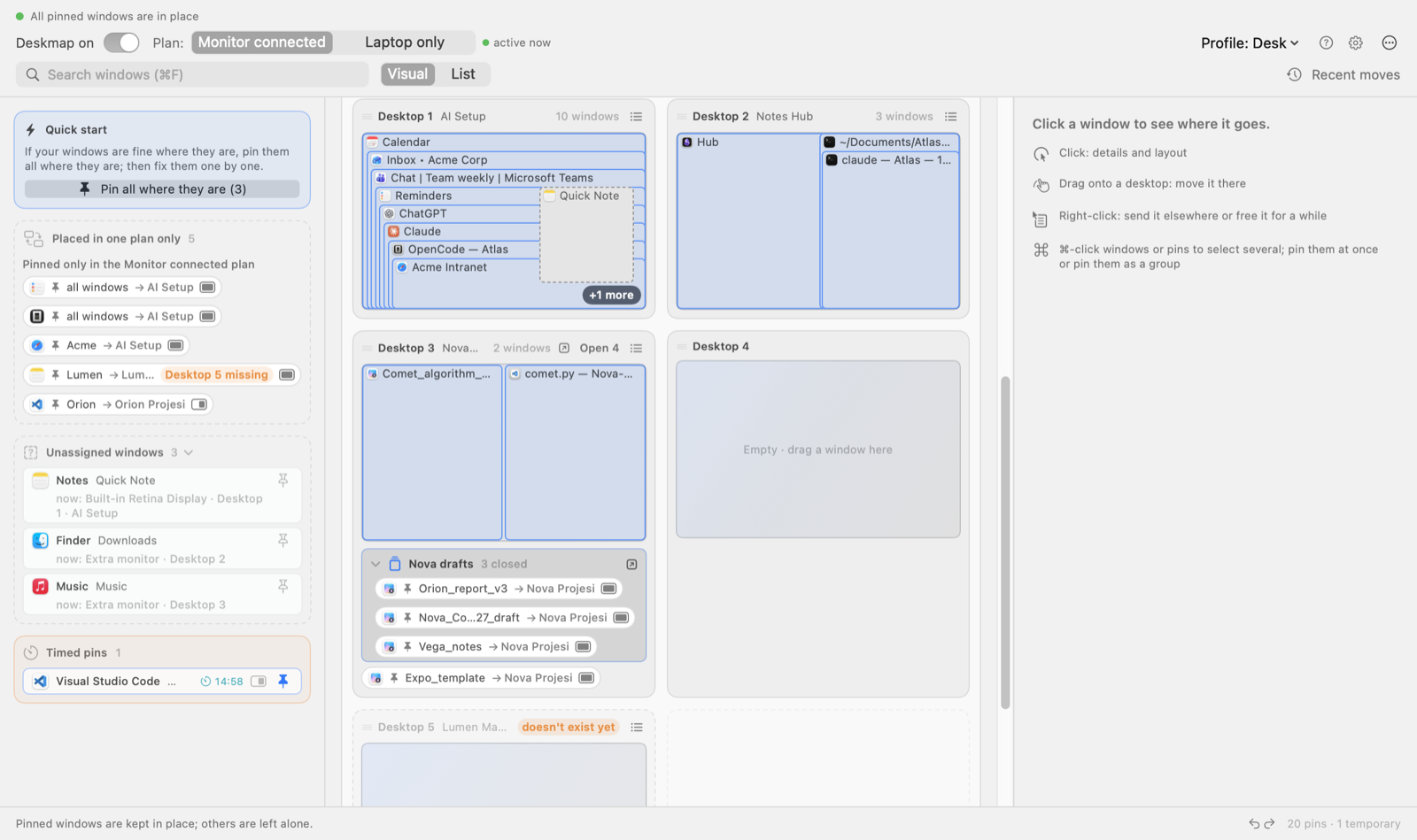
The switch at the top left pauses Deskmap: nothing is moved while it is off. It stays off after restarts, so if the app ever seems asleep, look here first. The menu bar icon also offers Pause for 15 minutes.
Every pin has two targets. The Plan switch (⌘1 / ⌘2) shows Monitor connected or Laptop only; the one in effect is marked active now. Plug a monitor in or pull it out, and every pinned window goes where that plan says.
Looking for one window? Press ⌘F and type part of its name.
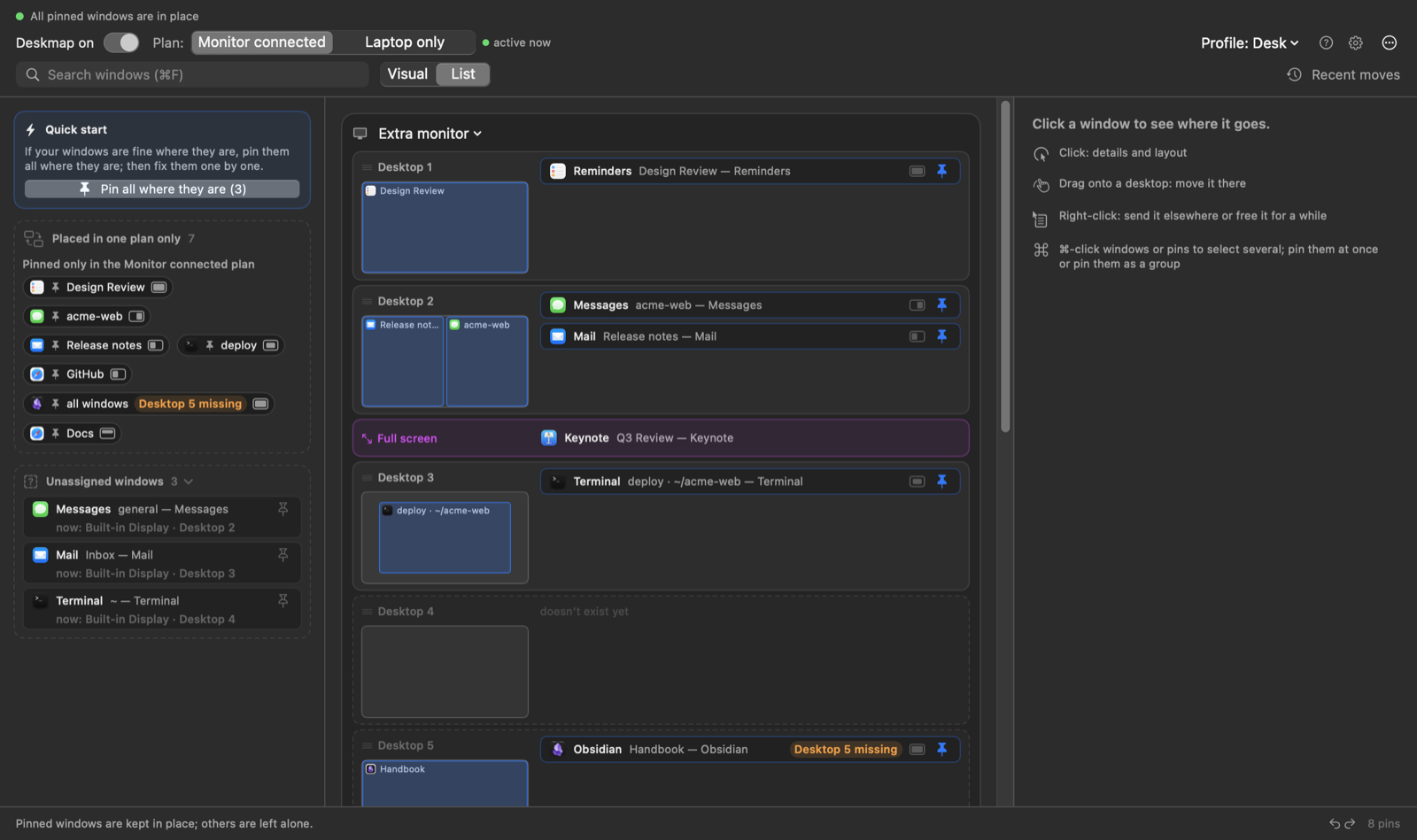
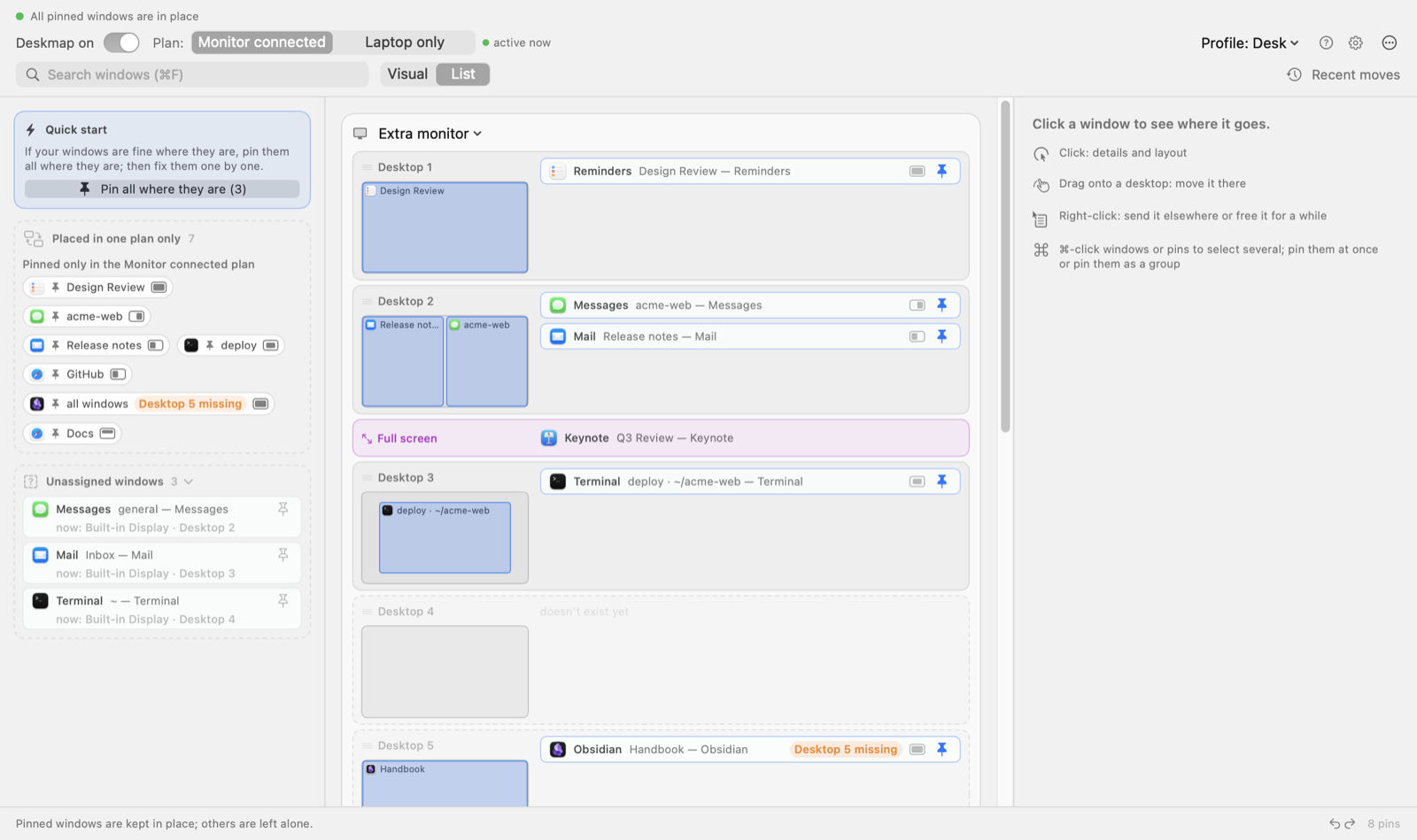
Visual draws every desktop as a mini screen. Prefer rows? List shows one row per desktop, with a small preview next to it.
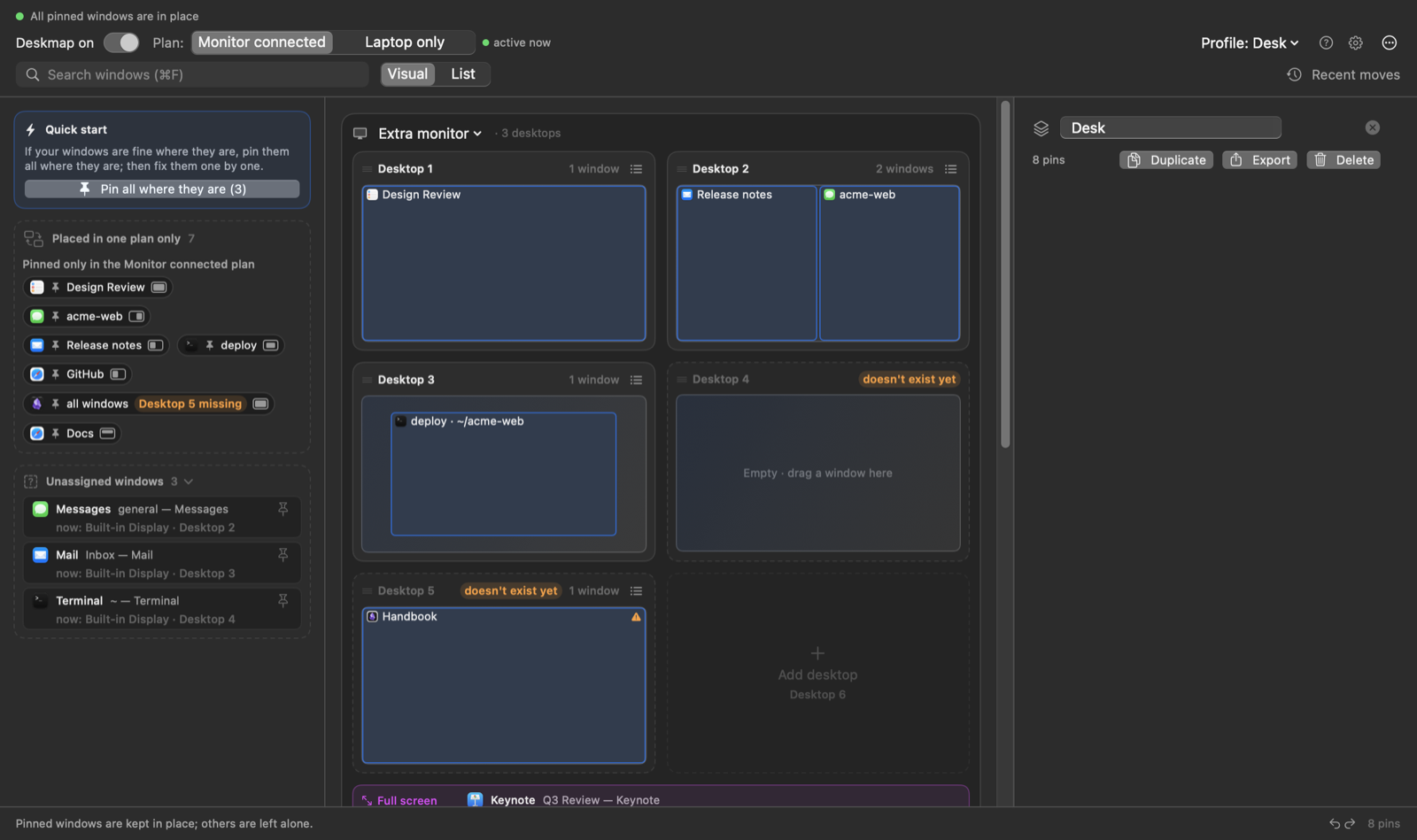
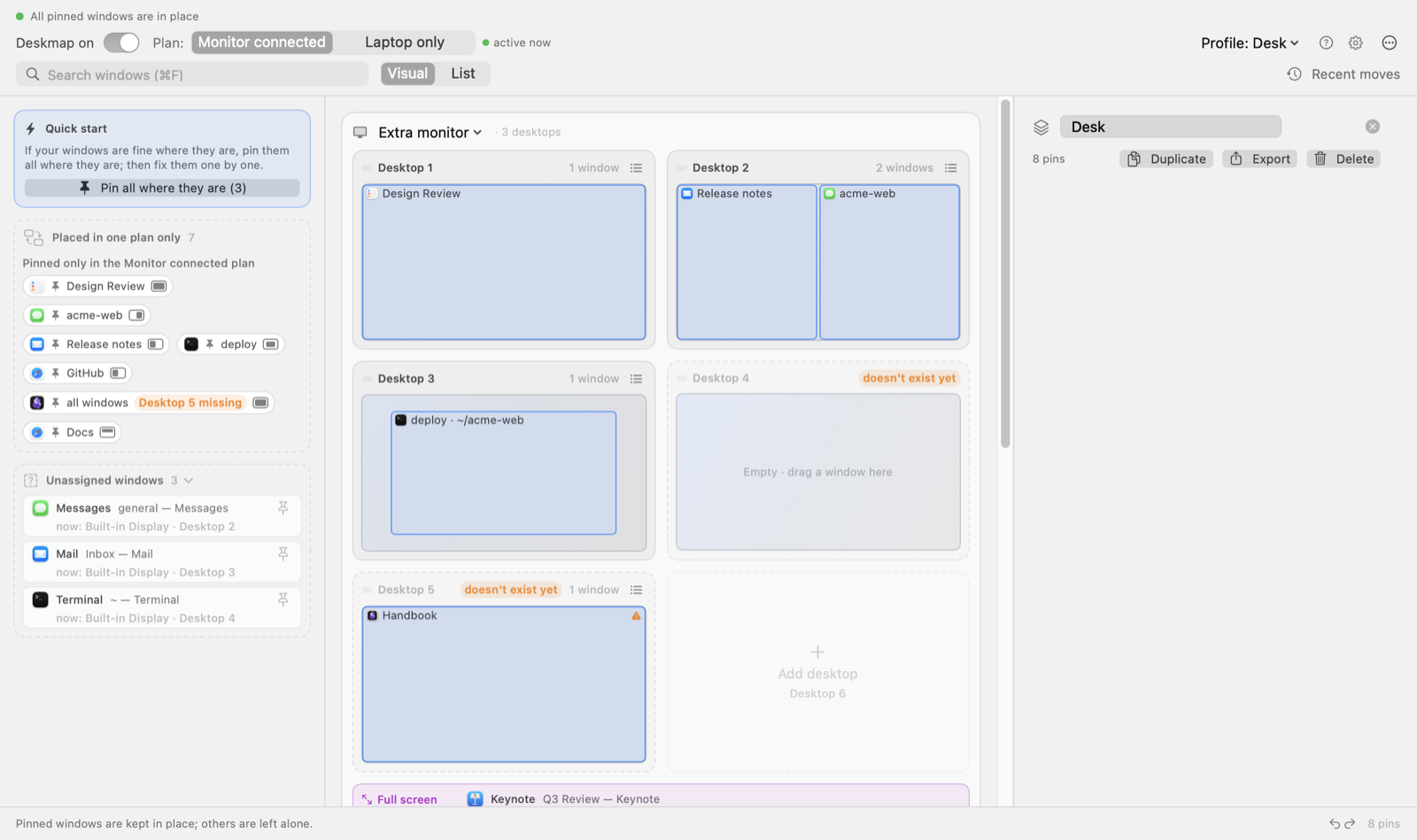
A profile is a whole set of pins with a name. Profile: … ▾ switches between them instantly. Duplicate, export or delete a profile; an exported .deskmap.json carries your setup to another Mac.
Window moves lists which pinned window Deskmap sent where, and when: the answer to “why did my window jump?”. Changes lists this session’s steps; Return here jumps back to any of them.
Windows already where you want them? Pin all where they are (N) pins them in one go, or ⌘-click boxes to pick some. Each one keeps its current desktop, size and position.
A pin you don’t want in one of the plans: drag it into this box and it stays in the other plan only. An orange Desktop 5 missing badge means the pin wants a desktop that isn’t there, so the window waits on the last one.
Windows that don’t belong anywhere yet wait here, each showing where it is now. Click one, or its pin button, and its details open in the column on the right.
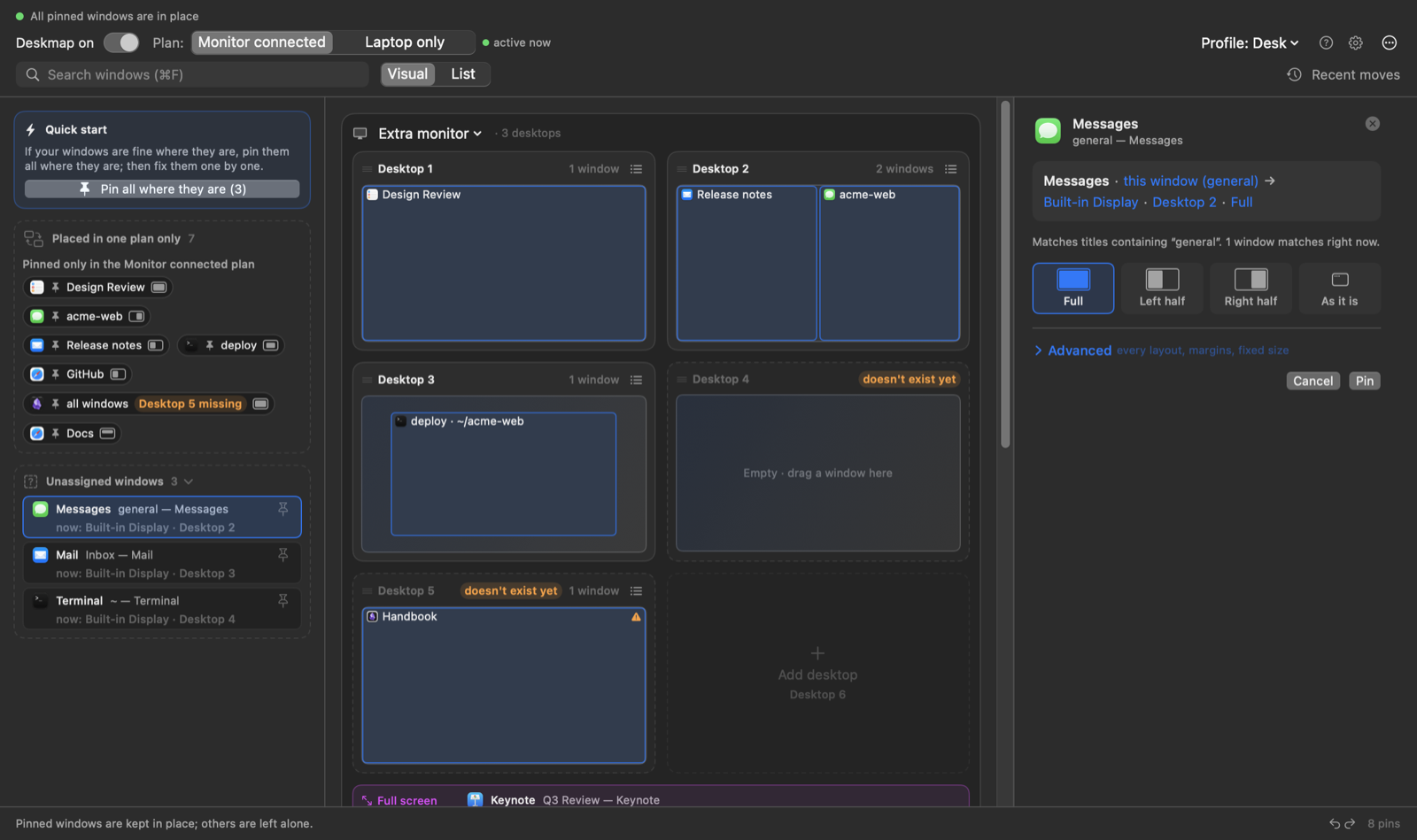
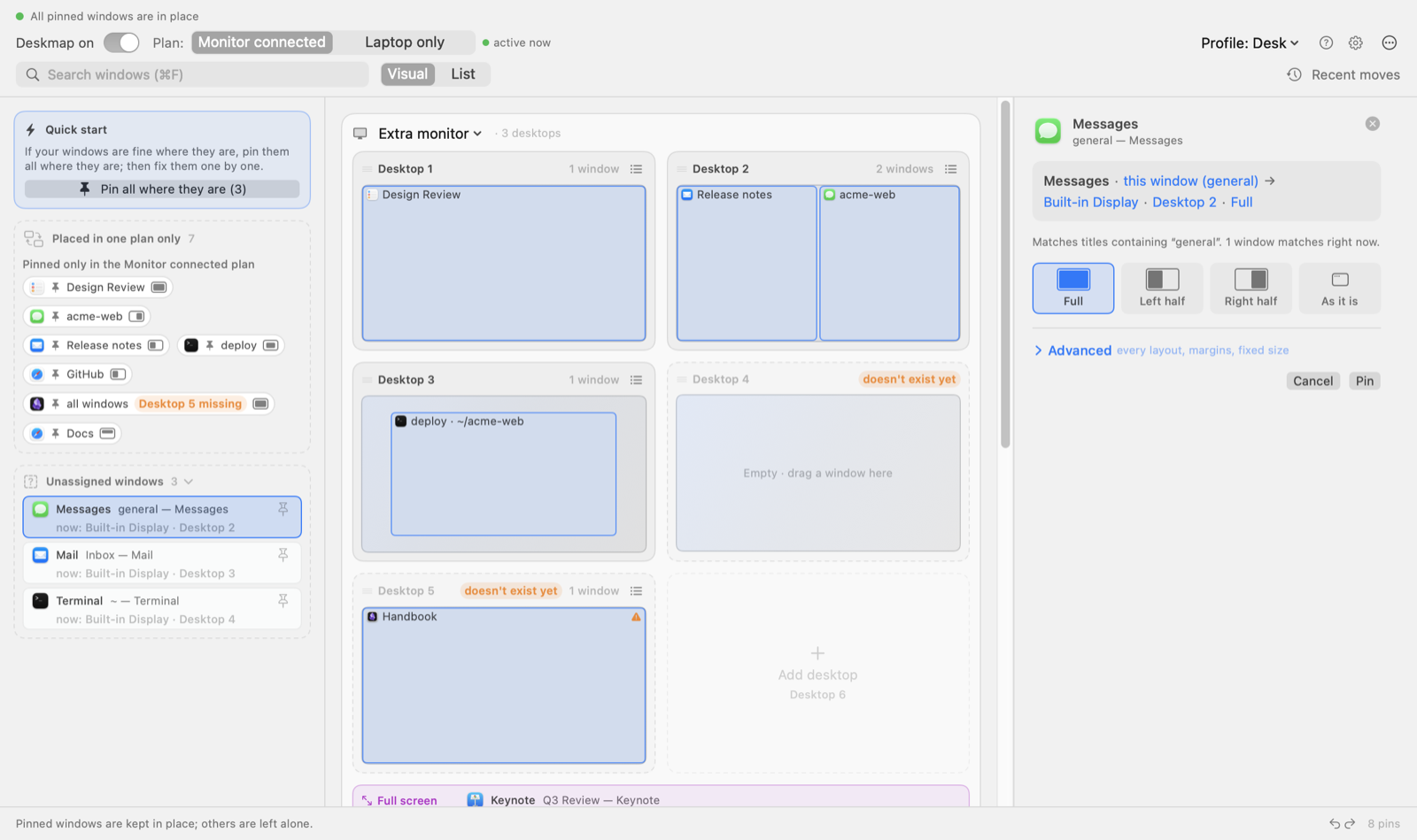
The map shows each display with one card per desktop. A card is a mini screen: every window on it is a box at its own place and size, and ≡ opens its plain list. Closed pinned windows wait as chips under the card; Open N opens them all.
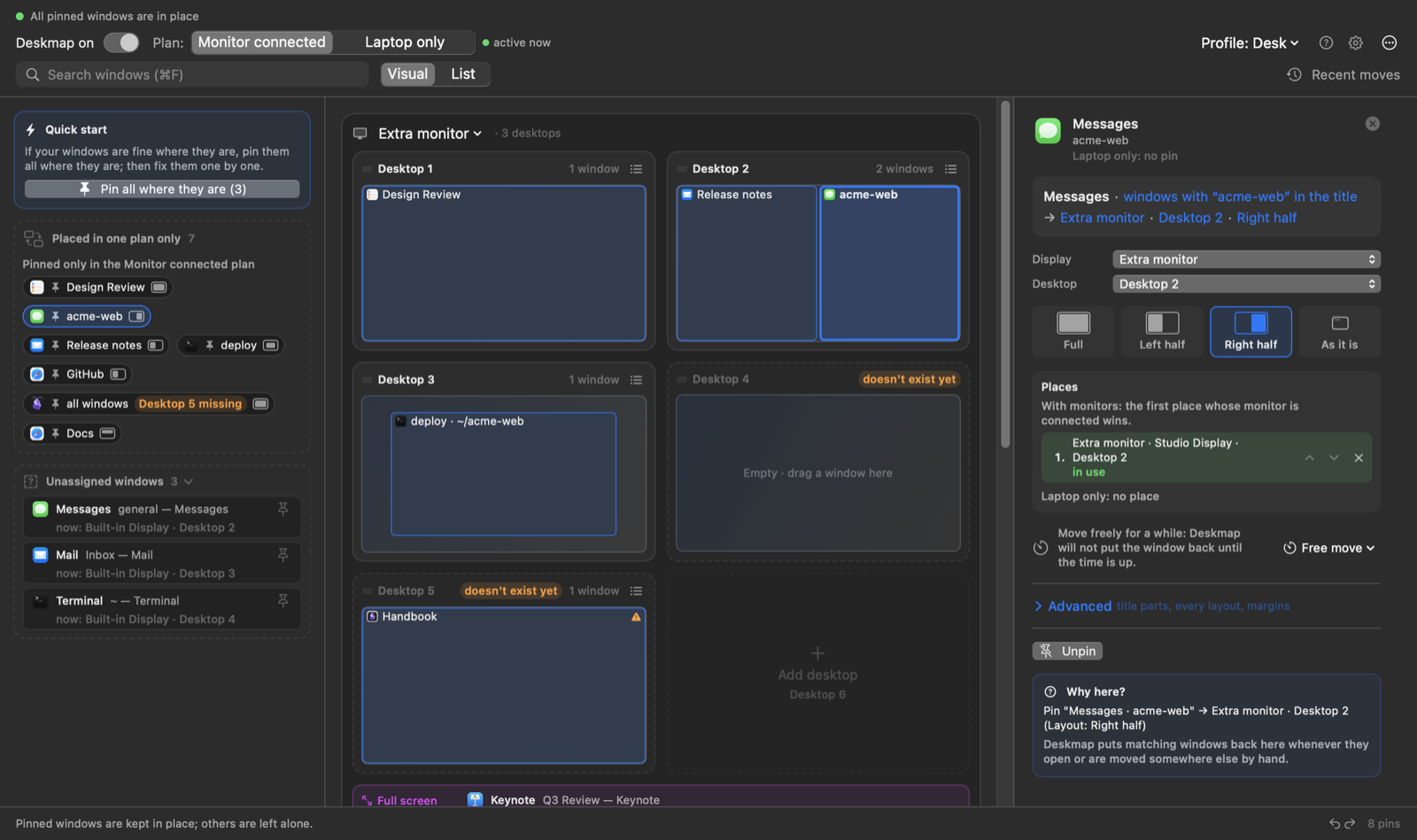
Click its box and the right column says where it goes: display, desktop and a layout. Full, Left half, Right half or As it is; the rest (a grid, presets, a fixed size) is under Advanced.
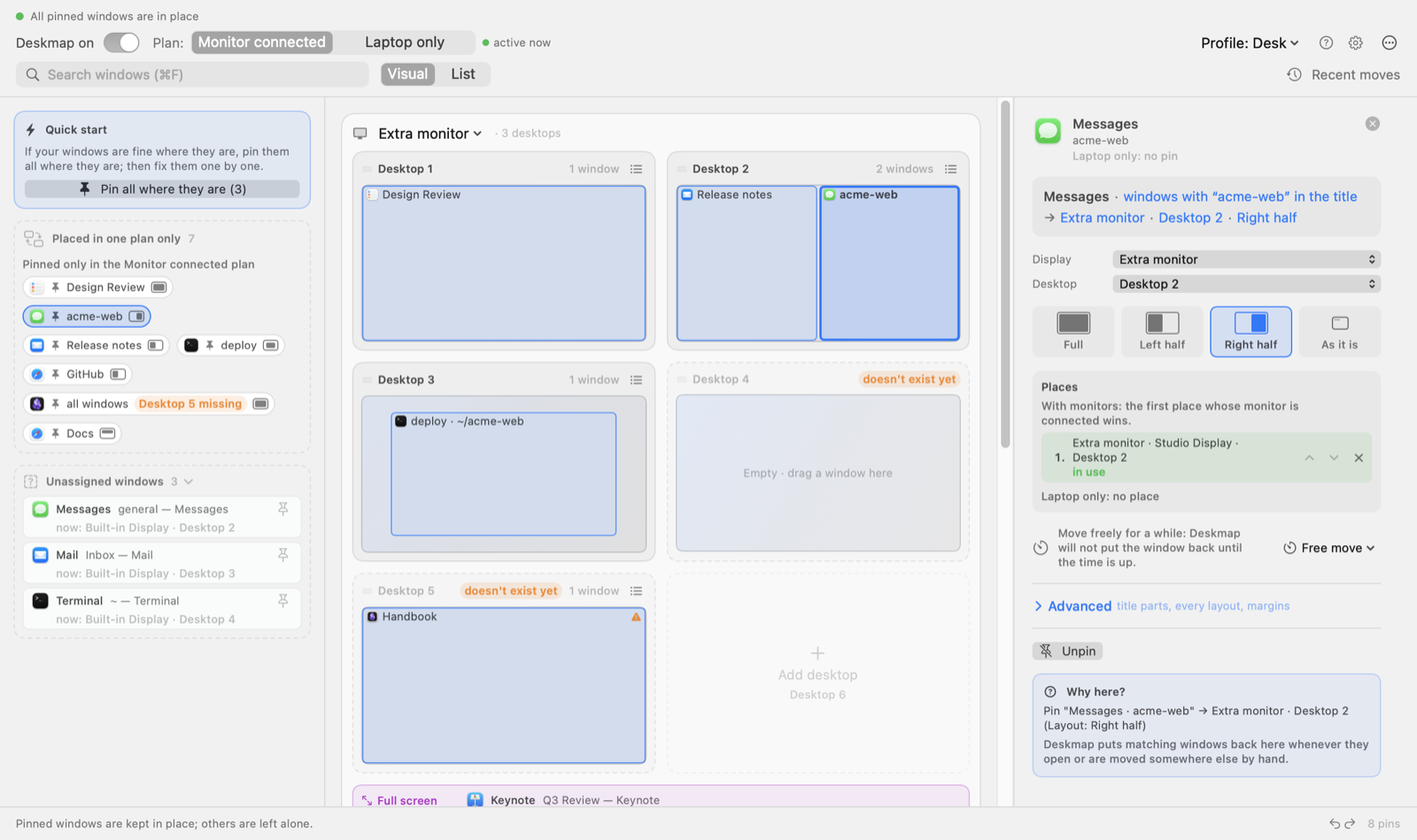
Drawn with a dashed line. macOS only lets you create desktops: add them in Mission Control and the card turns solid. To move a window, drag its box onto any card, on any display.
The last card, + Add desktop, adds one to the map. Right-click a card to Rename Desktop…, Remove Name or Remove Desktop.
Click: details and layout. Drag onto a desktop: move it there. Right-click: send it elsewhere, or free it for a while. ⌘-click: select several and pin them at once.
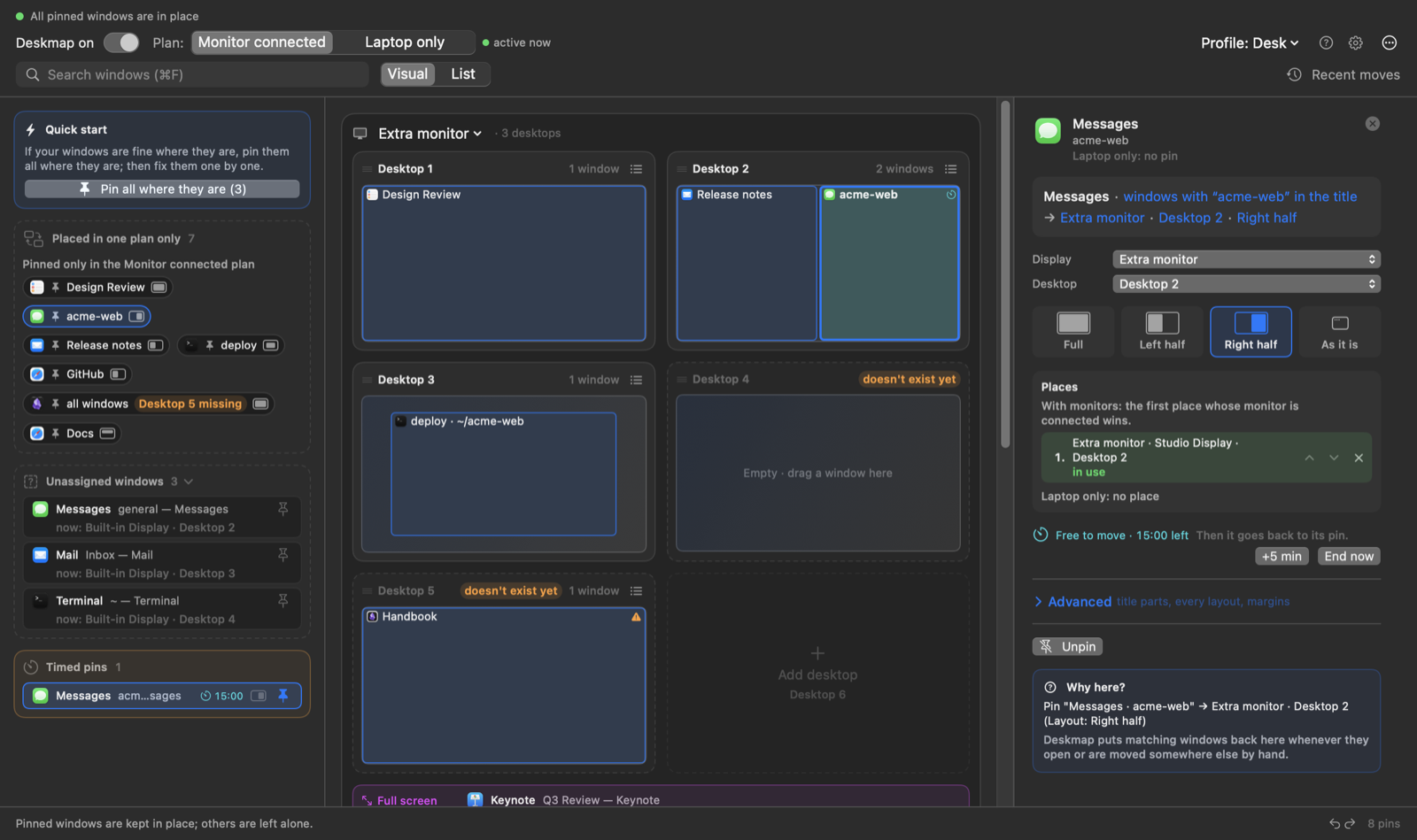
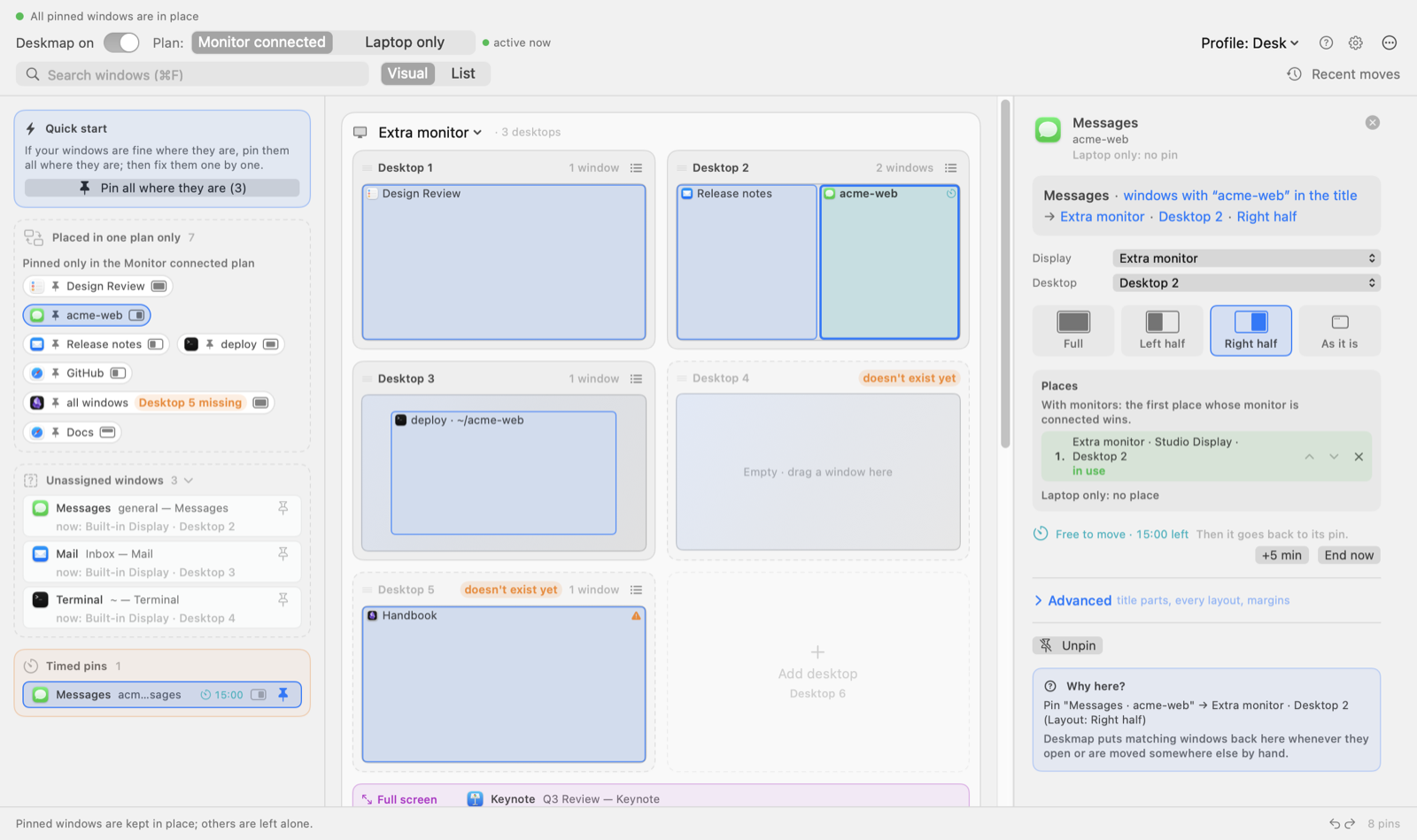
Every settings change is a step: the Undo and Redo arrows here, or ⌘Z and ⇧⌘Z. Almost nothing asks for confirmation; Undo is why. Next to them, how many pins the profile has.
Free move
Give a pinned window 1 to 60 minutes off. Move it anywhere. When the time is up, it goes back to its pin. Also from a right-click on the menu bar icon.
And then some
One click
Every closed pinned window of a desktop opens at once, each in its place. Per app, close or reopen all its pinned windows there.
Undo instead of dialogs
Multi-step ⌘Z and ⇧⌘Z, plus a session history you can jump back or forward in.
Automation
deskmap:// URLs for Shortcuts, Raycast or a terminal.
Profiles
Switch your whole setup with a click.
Automatic backups
Every profile, pin and desktop name. Hourly kept a day, daily kept a week, weekly kept forever. Restore any of them, and undo that too.
Compare
Rectangle Pro and Stay come closest, but neither moves a window to another desktop. yabai does, from a shell script.
| Capability | Deskmap | macOS | Rectangle Pro | Moom | Stay | yabai |
|---|---|---|---|---|---|---|
| Rules match the window title | ||||||
| Re-places windows when a display is plugged in or unplugged | ||||||
| Sends a window to a native desktop | ||||||
| …with System Integrity Protection on | ||||||
| Map of every display and desktop | ||||||
| No config file or script to write |
Six of 13 rows. ShiftPlus, AeroSpace, Hammerspoon, the other seven rows and every source are on the full page.
Install
macOS 13 or later, Apple silicon and Intel. Deskmap is not notarized yet, so macOS asks you to confirm the first launch.
Download the latest release, unzip it and drag Deskmap.app to Applications.
Open it once. macOS blocks it; go to System Settings › Privacy & Security and click Open Anyway.
Turn on Deskmap under Accessibility when the welcome guide asks. It takes it from there.
macOS asks for the Accessibility permission again after each update.
Privacy
Deskmap is not notarized yet. Open it once, then go to System Settings › Privacy & Security and click Open Anyway.
Without it, no app can see window titles or move windows. It is the only permission Deskmap asks for. macOS asks for it again after each update.
Every pin has two targets: one for Monitor connected, one for Laptop only. When displays change, Deskmap waits a couple of seconds for them to settle, then puts every pinned window where the plan in effect says.
No. There are no scripts, no config file and no dependencies, and System Integrity Protection stays on. Everything is set up on the map.
Yes. Deskmap answers deskmap:// links: deskmap://profile/Café switches profile, deskmap://reapply places everything now, deskmap://toggle pauses or resumes.
Yes. Free and open source under the MIT license.